


IMZSOCK Love Beautiful Feet | Dijia的耐克AF1White Socksfoot
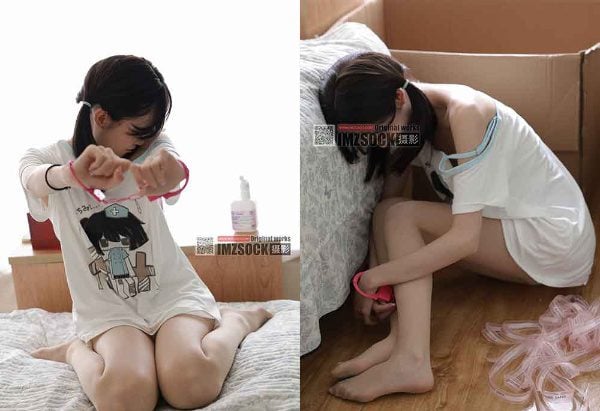
这组图片展现了模特Dijia在休闲环境中的装扮,重点突出了她穿着的AF1Sports shoes和白色袜子。她身穿简约的白色上衣和浅蓝色牛仔短裤,外搭一件条纹衬衫,整体造型既休闲又有活力。在不同的姿势和角度下,白色的袜子和Sports shoes成为焦点,传递出年轻和轻松的气息。这些照片不仅展示了服装的搭配,也体现了舒适与时尚并重的当代休闲风格。通过细节的捕捉,图集强调了日常生活中简单服饰的美丽和实用性。

The images show model Dija dressed in a casual setting, highlighting her AF1 sneakers and white socks. She wore a simple white top, light blue denim shorts, and a striped shirt. The overall look was both casual and energetic. In different postures and angles, white socks and sneakers become the focus, conveying a youthful and relaxed atmosphere. The photos not only showcase outfit combinations, but also reflect contemporary casual styles that emphasize both comfort and style. Captured in detail, the collection emphasizes the beauty and practicality of simple clothing for everyday use.

· Delete the ?pwd=xxxx part of the URL in the browser address bar.
Press Enter to refresh the page.
· Manually enter the last 4 characters of the original address (i.e. xxxx) as the extraction code.
If the extraction code contains the letter "x", the Baidu Netdisk extraction page may display an error. In this case, please refresh the page and re-enter the extraction code manually.
To open a membership or directly recharge, please see the menu at the top of the page or the personal center.
Once the recharge and membership purchase are completed, no refund is supported. Please consume rationally.
Please install Baidu Netdisk first, download the file to your phone or computer, and then use professional decompression software (such as WinRAR) to decompress it.
The decompression function of the mobile phone system or browser may cause errors. It is recommended to download professional decompression tools from the application market.
You must use Baidu Netdisk to download, other tools may cause file corruption.
Download speeds may be limited for non-Baidu Netdisk members. If you need high-speed downloads, please upgrade to a Netdisk member.
The FAQ provides decompression tutorials for Android and Apple devices, which you can refer to for operation.
After downloading, if there is no suffix, you need to rename the file first, add .7z and then decompress it. After decompression, rename the file and add .mp4 suffix to play it.
The resources on this site are only guaranteed to be viewable on a mobile phone or computer after being decompressed, and do not provide support for online viewing.
If you are not familiar with the operation, please read the FAQ tutorial before recharging and purchasing.
Please follow the above instructions carefully to ensure normal use of resources.
Some resources are collected from the Internet. If there is any infringement, please contact us to delete them.
This site strictly prohibits any exposure or obscene content, please feel free to browse.
If you find any illegal content, please contact customer service in time to provide feedback. After verification, it will be deleted immediately and rewards will be given.